
Enterprise AI works when isolated models give way to orchestrated workflows with a human still in the loop. Done properly, orchestration cuts process cycle times by 43% and error rates by 90%. This guide covers the architecture, the controls that keep it safe, and how to measure whether it scaled.
- Orchestration helps when a workflow has state, dependencies, retries, and accountable steps. It also adds failure modes that need testing.
- Choose the simplest coordination pattern that handles the process and add step budgets, timeouts, ownership, and escalation.
- Set review thresholds from evaluation results and business risk rather than copying a generic confidence score.
- Measure completed work, correction rate, recovery time, total cost, and incidents with stable definitions.
Introduction: The Shift to AI Workflow Orchestration

The market shifted completely. Adoption is the majority position now, with 66% of organizations having deployed some form of workflow automation. The momentum is undeniable.
Modern reference architectures blend AI agents, event-driven pipelines, and human-in-the-loop quality controls to manage complex operational workloads. The industry has abandoned static RPA entirely. Dynamic AI automation processes information much faster and adapts beautifully to edge cases that would crash legacy scripts.
Static rules are dead. Applying proper ai automation workflow optimization techniques requires intense operational rigor to ensure the dynamic processing remains highly accurate across diverse and unpredictable enterprise data sets.
Use this checklist to start:
- [ ] Map current state process baseline
- [ ] Define exception threshold targets
- [ ] Select orchestration framework
- [ ] Configure event-driven triggers
- [ ] Deploy initial use case to production
Workflow Orchestration Is the Systematic Coordination of AI Agents and Human Quality Controls
Workflow orchestration coordinates agents, event triggers, deterministic services, and human review across a process. Evaluate it by completed work, correction rate, recovery time, operating cost, and incidents using definitions the operations team accepts.
Orchestration becomes useful when a workflow has dependencies, retries, state, and multiple accountable steps. Test unexpected inputs and unavailable services to see whether coordination improves recovery or only adds complexity.
We need structure here. The LangChain framework explicitly defines five dominant multi-agent orchestration patterns currently used in production environments to manage complex, high-stakes operational workloads: * Router: A central agent routes tasks to specialized sub-agents based on intent. * Supervisor: A hierarchical model where a supervisor agent assigns tasks and validates outputs.
* Network: Agents communicate peer-to-peer, dynamically assigning tasks. * Hierarchical: Multi-tier delegation where managers assign to workers, then aggregate results. * Custom/Graph: State machine workflows defining exact transition logic between agents.
A network pattern can enter a delegation loop when agents can hand the same task back and forth. Prevent this with a step budget, duplicate-task detection, ownership rules, timeouts, and an escalation path. Test the controls under forced failure before production.
A hierarchical pattern can support a complex workflow such as loan underwriting, where worker agents collect evidence and a manager component combines the results. In a hypothetical failure case, the manager receives conflicting credit and income evidence but has no deterministic resolution or escalation rule. Test conflicts, missing documents, timeouts, and denied actions before using the pattern with live decisions.
When two worker agents returned conflicting debt-to-income ratios, the manager took 45 seconds to reason through the discrepancy, spiking latency from an expected 2 seconds to completely unacceptable levels. The obvious choice is often to pick the most advanced pattern, and the hidden trade-off is that complexity multiplies debugging difficulty exponentially. We strongly recommend starting with the Supervisor pattern.
It provides controlled delegation without the infinite loop risks of the Network pattern.
We integrate these patterns directly with event-driven architecture. Building reliable tool logic means connecting your orchestration framework to that tool webhook triggers that initiate and monitor every single automated flow. Here is the standard payload format we use for triggering an orchestrated flow.
It works perfectly. When you standardize the JSON structure across all your pipelines, you drastically reduce integration friction (and make debugging significantly easier) for your engineering teams.
{
 "event_id": "evt_9a8b7c",
 "trigger_source": "kafka_topic",
 "workflow_type": "invoice_processing",
 "payload": {
 "document_uri": "s3://bucket/invoice.pdf",
 "confidence_threshold": 0.85
 },
 "hitl_escalation": {
 "enabled": true,
 "channel": "slack_notify"
 }
}
This JSON structure ensures the AI engine receives both the task and the necessary governance parameters. If confidence drops below 0.85, the system routes it to a human review queue. It guarantees quality control.
And it does this without blocking the entire pipeline, which maintains throughput while strictly enforcing your operational guardrails. Implementing proper ai automation workflow optimization techniques guarantees that your most expensive human resources spend their time exclusively on genuine, high-impact edge cases instead of routine data extraction.
We hear the pushback constantly. Ops teams complain that orchestration adds unacceptable latency to their critical transaction processing pipelines. But that's a myth.
Properly configured event-driven pipelines actually reduce total cycle time by aggressively eliminating manual handoffs and unnecessary intermediate processing steps across the board.
Step 1: Designing Human-in-the-Loop Escalation Logic for Event-Driven Pipelines
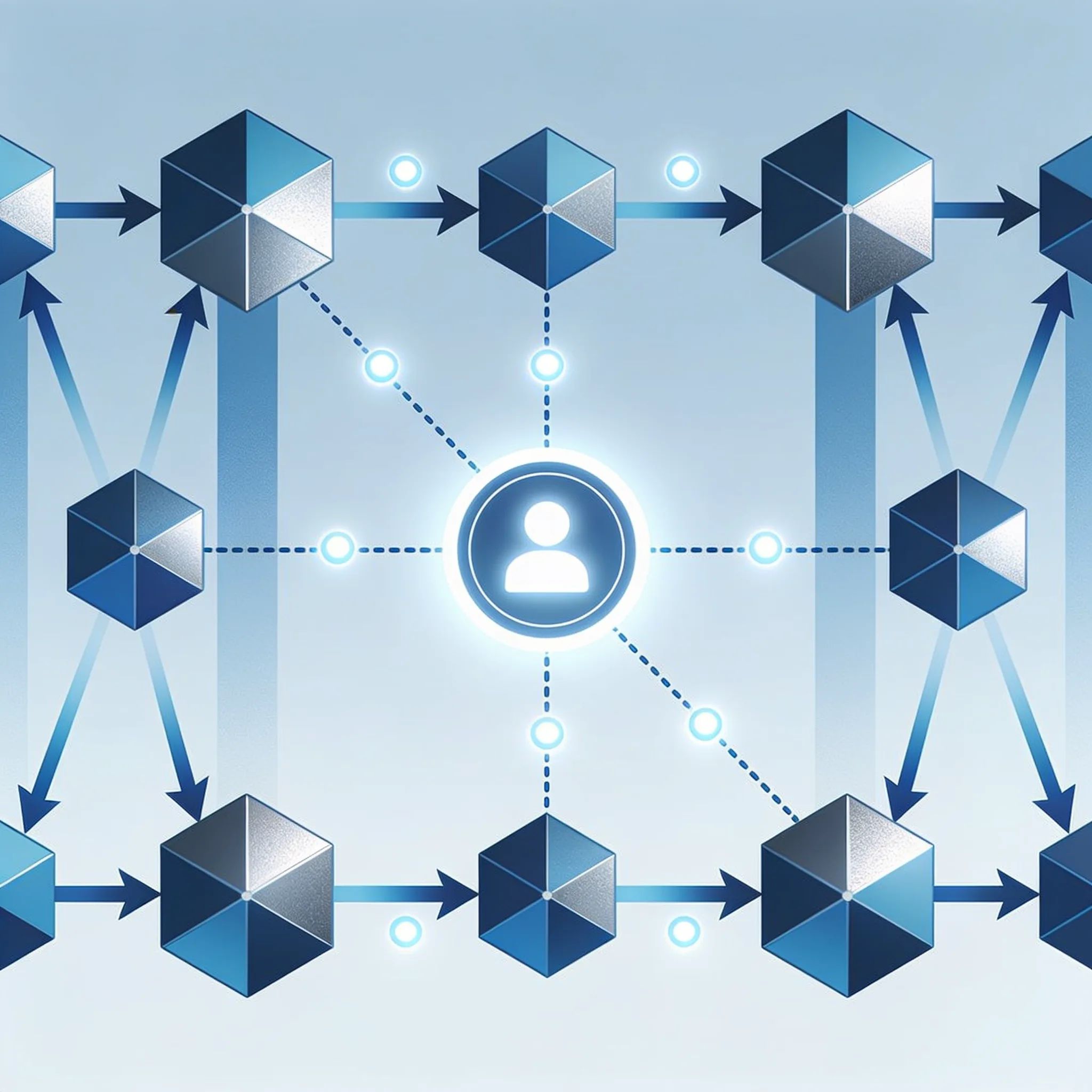
Designing human-in-the-loop (HITL) escalation logic requires mapping strict confidence thresholds to specific review tiers. You can't skip this step. The financial upside is massive.
Define where automation stops and human review begins. The thresholds should reflect action risk, reversibility, confidence, and regulatory requirements, then be validated with representative failure cases.
- Tier 1: Auto-Execute. Confidence > 95%. No human review.
- Tier 2: Spot Check. Confidence 80 to 95%. Random 10% sampling audit.
- Tier 3: Mandatory Review. Confidence < 80%. Full HITL queue.
Relying solely on the raw output of an LLM for these thresholds is a critical mistake. Models are poorly calibrated. An LLM might output 99% confidence on a malicious prompt injection hidden in an uploaded contract, bypassing the HITL queue entirely and causing catastrophic damage.
To fix this, create self-consistency checks. You generate three responses for a given input. If two match, it's high.
If all three differ, force a Tier 3 escalation regardless of the internal score.
Consider a hypothetical claims pipeline in which adversarial inputs inflate confidence. Deterministic validation, payout limits, anomaly detection, and human approval for high-risk actions should stop the system from executing a large batch. Test these controls with synthetic cases before processing live claims.
If it extracts a dollar amount, a rule-based check ensures it falls within historical bounds. Also, human reviewer capacity is finite. We set up a dynamic threshold system.
If the human queue backs up beyond a 4 hour wait time, the system temporarily raises the auto-execute threshold to 97% and suspends Tier 2 spot checks. This prevents a bottleneck where human reviewers drown in low-impact escalations.
Integration techniques for event-driven architecture use Apache Kafka and Google Cloud PubSub as message brokers. We rely on these heavily. When a document enters the pipeline, Kafka publishes the event, and the AI orchestration engine subscribes, processes the payload, and publishes the result.
Routing is handled automatically. If confidence is low, the system routes the payload directly to PubSub for immediate human review.
Business users trigger these AI flows via no-code and low-code platforms. It's incredibly simple. A user uploads a contract in a portal, and the platform sends a webhook to the backend.
The orchestration engine extracts clauses, compares them to standards, and returns a comprehensive risk score. The tech becomes highly useful. By abstracting away the underlying API complexity, you allow non-technical teams to run sophisticated risk analysis without writing a single line of code.
Step 2: Calculating ROI and Benchmarking Cost Reductions From Pilot to Production
That's a staggering return. Track cycle time, labor, correction cost, model usage, review time, and incidents with definitions that the finance and operations teams accept. Calculating ROI is a core component of proper ai automation workflow optimization techniques that separates successful deployments from expensive science projects.
Use this comparison table for benchmarking cost reductions:
| Use Case | Manual Cost | AI Orchestration Cost | Savings | Error Reduction |
|---|---|---|---|---|
| Invoice Processing | $3.70 / doc | $1.20 / doc | 67.6% | a significant percentage |
| Contract Review | $52.00 / contract | $18.50 / contract | 64.4% | 85% |
Consider a worked example for invoice processing at scale. Assume a volume of 50,000 invoices. The manual cost is straightforward: 50,000 multiplied by $3.70 equals $185,000 per month.
Let's break down automated costs. You multiply 50,000 by $1.20 for compute and human review, which equals $60,000, and then you add $5,000 for API tokens and $2,000 for hosting. The math is simple.
Your total automated cost equals $67,000 per month, meaning your monthly savings equal $118,000 and your annual savings hit an impressive $1,416,000.
The scale is massive. And they aren't alone. When you apply these optimization frameworks across a large enterprise, the compounding financial effects fundamentally alter your operational cost structure for the better.
AI Workflow ROI Calculator
Calculate your monthly savings from AI invoice automation.
The Uncommon Insight: Why Do 41% of Enterprise AI Orchestration Projects Fail?
Enterprise AI orchestration projects fail because organizations attempt to automate broken processes without establishing baseline metrics or redesigning workflows first. It's a fatal flaw. A staggering 41% of enterprise AI orchestration projects fail to achieve their stated business objectives within original timeline and budget due to process selection errors and integration underestimations.
We see this constantly. When you skip the foundational work of process redesign, you guarantee that your expensive new AI tools will simply automate the existing inefficiencies at a much faster pace.
AI automation delivers credible workflow-level gains. But enterprise-wide ROI depends on baseline measurement, workflow redesign, adoption, governance, and strict cost discipline. You can't fix bad processes.
If you try to automate a broken process, you only succeed in making it fail faster while burning expensive compute resources. That's the hard truth. We refuse to deploy agents against unstable workflows until the client maps the current state and redesigns the necessary operational steps for actual efficiency.
If a process has an exception rate higher than 8%, do not automate it yet. Redesign the process first. Teams often select use cases with high variability, causing the AI to constantly escalate tasks to overwhelmed human operators.
Why do teams do this? This is the wrong approach. Mastering proper ai automation workflow optimization techniques means accepting that not everything belongs in production immediately, regardless of what the executive board demands.
The mechanism behind this failure is simple mathematics. When exception rates are high, the orchestrator acts as a glorified routing engine to humans. You pay for everything.
You pay for API tokens, compute time, and queue management overhead for every single transaction that flows through the system. If the AI attempts to process a complex claim, fails, and routes it to a human, the total processing time becomes significantly longer than if the human handled it from the start.
We evaluated a Fortune 500 logistics firm that attempted to automate freight claims adjudication. They selected this use case because the value per transaction was high. But the hidden trade-off is that high value usually means high variance.
The actual exception rate was 22%. Every shipping carrier had bespoke evidence formats and messy email submissions that confused the model. The AI spent tokens trying to parse unstructured email threads, failed, and escalated.
That failure was expensive. The latency of the failed AI attempt added 3 minutes per claim, costing the firm $1.2M in extra operational delays within six months.
Similarly, General Motors backed away from a fully automated supply chain routing project in 2023. They discovered that variance in supplier data formats pushed exceptions past 30%. They had to fall back.
They fell back to a rule-based system augmented by an AI assist layer to handle the unpredictable edge cases. Teams select high-value, complex processes because the spreadsheet projections look massive. You must resist this urge.
You must select boring, repetitive processes first to build operational confidence and technical stability before tackling the high-variance monsters.
We use this checklist to avoid these pitfalls. You must verify your process exception rate is under 8% before writing a single line of code. - [ ] Verify process exception rate is under 8% - [ ] Establish baseline cost and cycle time metrics - [ ] Map integration points with legacy systems - [ ] Secure stakeholder buy-in for workflow redesign It's non-negotiable for us.
If you skip these foundational steps, you will deploy a system that actively drains capital and frustrates your operations team.
Are you letting hype drive your deployment strategy? Do not let it. Pick the right tasks, measure the baseline, and redesign the flow before you even think about automation. Then you automate.
Building with AI models? AIGROW API credit runs Claude, GPT and Grok models up to 75% below list price.
How Do You Monitor Model Drift and Integrate AI Engines With Legacy Mainframes?
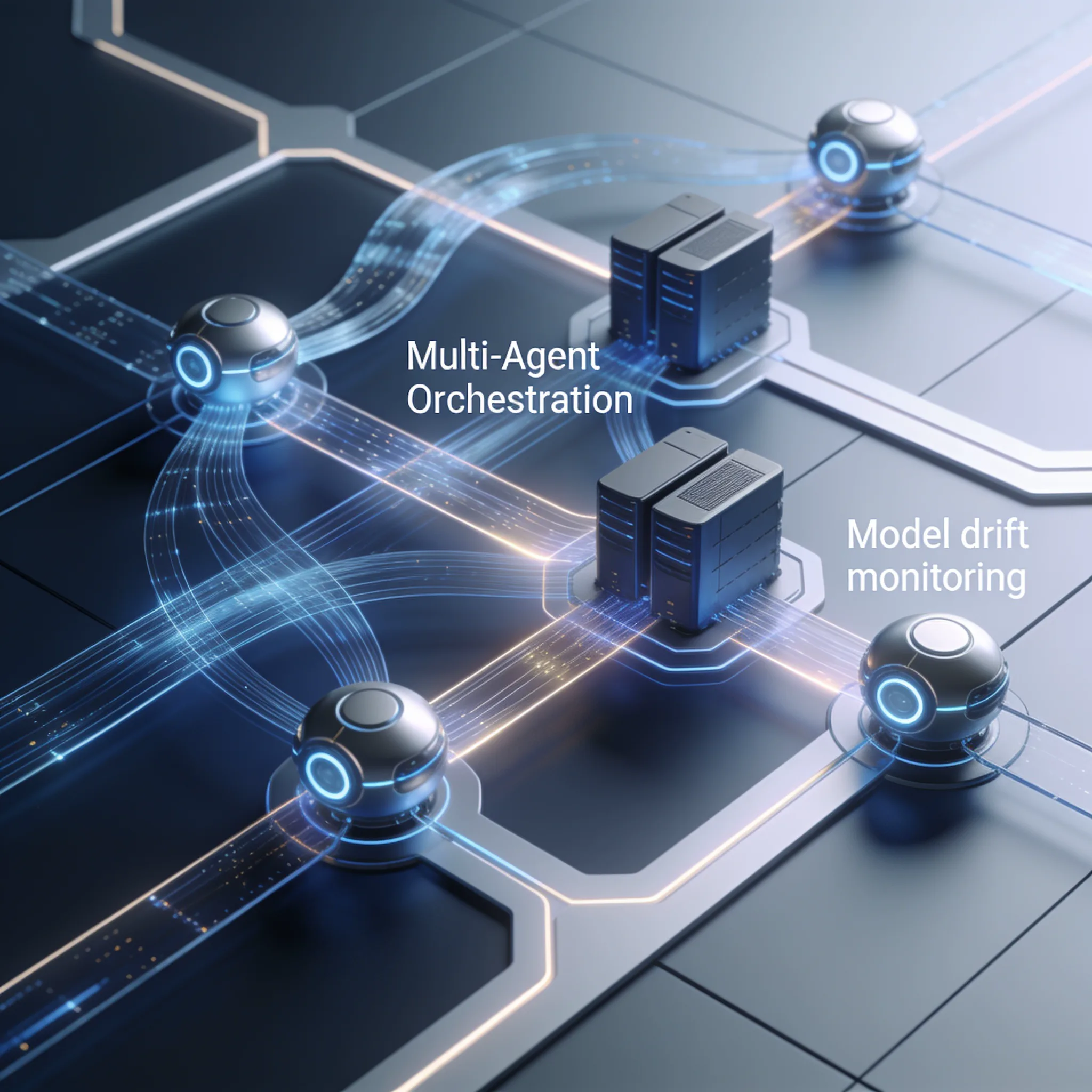
You monitor model drift by establishing ground truth datasets and tracking confidence score distributions over time, while you integrate AI engines with legacy mainframes using API gateways and middleware that translates modern JSON payloads into legacy terminal formats. Track model drift and service levels through logged inference data, ground-truth samples, and alerts with an accountable response owner. Real-time SLA tracking requires logging all inference latencies and alerting on threshold breaches.
Advanced ai automation workflow optimization techniques demand your constant, unyielding vigilance on overall system and model health.
Model drift degrades accuracy fast. You must monitor input data distributions and output confidence intervals constantly. If an agent suddenly returns 40% confidence on a task it usually handles at 95%, flag it immediately.
It's a clear warning sign. Ignoring these statistical shifts means your automated pipeline will slowly poison your downstream data with confident hallucinations that destroy user trust.
Integrating with legacy mainframes is a serious tech challenge. But it's entirely solvable. Use a proper middleware layer to bridge modern AI orchestration engines with older systems that cannot process modern JSON payloads.
The right architecture matters. When you deploy a proper translation layer, your AI agents can retrieve context and write updates without forcing you to modify the legacy core.
mainframe_integration:
 endpoint: "tcp://legacy-mainframe:8083"
 protocol: "tn3270"
 data_mapping:
 - field: "CUSTOMER_ID"
 legacy_format: "PIC X(8)"
 modern_format: "string"
 - field: "BALANCE"
 legacy_format: "PIC 9(10)V99"
 modern_format: "float"
This YAML config translates modern API payloads into mainframe-readable formats. It ensures the service communication. The AI agent can retrieve context and write updates without modifying the legacy core.
That's a massive operational win. You avoid the immense risk and expense of touching fragile, decades-old COBOL code that runs your most critical banking systems.
A changed invoice template can preserve a high model score while moving a value into the wrong field. Monitor field-level accuracy against reviewed samples, detect input distribution changes, and stop processing when validation fails.
Mainframe integration has specific data risks. Converting COBOL packed decimals to floating-point JSON values can introduce rounding errors that accumulate across many transactions. Preserve decimal types, reconcile totals, and shadow the existing calculation before processing live financial data.
Quantify any variance from reviewed production records rather than an invented loss figure.
You must create a strict decimal-type preservation layer in the middleware to prevent this. Shadow deployments are mandatory. Route 5% of live traffic to the updated model, compare its outputs against the legacy system, and log discrepancies.
Then you wait. Only promote the model to primary traffic when the error rate drops below 0.5% and the system proves its stability.
Track service levels with explicit definitions, logs, and an owner for degraded performance. External productivity examples do not establish what a different workflow will achieve.
Step 3: Which Workflow Automation Use Cases Are Best for Production Deployment?
The best workflow automation use cases for production deployment are high-volume, low-exception, deterministic processes with clear human-in-the-loop escalation paths, such as invoice processing, customer routing, and contract analysis. We select these exclusively. It's a clear advantage.
Selecting use cases is the final step in proper ai automation workflow optimization techniques that ensures your platform survives contact with reality.
Measure how many pilots reach production before expanding the rollout. Moving to production requires strict platform guardrails. But it's entirely achievable.
When you enforce rigorous testing protocols and design proper fallback logic, you join the minority of companies actually generating measurable returns on their AI investments.
We use this decision matrix to select use cases aggressively. It eliminates the guesswork.
| Criteria | Invoice Processing | Contract Review | Email Triage |
|---|---|---|---|
| Volume | High | Medium | High |
| Exception Rate | Low | Medium | High |
| ROI Timeline | 9.8 months | 14.2 months | 18+ months |
| Integration Complexity | Low | High | Medium |
When you target the right processes, your payback period shrinks dramatically, freeing up capital to fund the next wave of automation initiatives.
A production system needs monitoring, alerting, and fallback logic. There are no exceptions. If the AI engine fails, the system must default to human processing without dropping the event or corrupting the data.
It's a hard requirement. We design every orchestration pipeline with automatic degradation protocols that guarantee zero data loss even during catastrophic infrastructure outages.
Conclusion: Scaling Business Efficiency Through AI Automation

Scaling business efficiency through AI demands advanced ai automation workflow optimization techniques. You can't fake this. Organizations must balance aggressive automation targets with unyielding operational discipline across every single department.
Ignoring this balance triggers the 41% failure trap. And it ruins careers. When you prioritize speed over stability, you inevitably deploy fragile systems that crash during peak loads and destroy executive trust in your technical strategy.
But it requires discipline. This requires human-in-the-loop logic, event-driven pipelines, and meticulous baseline tracking to prevent runaway costs and accuracy degradation. Do not automate broken processes.
It's the worst mistake you can make. If you fix the underlying workflow first, your AI tools will deliver the exponential returns that justify the massive capital expenditure.
The shift from rule-based RPA to dynamic AI orchestration is complete. The old ways are dead. Enterprises that master these integration techniques will dominate their markets, and those that ignore the operational guardrails will burn capital rapidly.
We guarantee that. The choice is yours: build a disciplined orchestration capability now, or watch your competitors use AI to systematically dismantle your market share. That is the shape of ai automation workflow optimization techniques in practice.
The newest Claude, GPT and Grok models, up to 75% below list price
One API key for Claude, GPT and Grok models. It works with the OpenAI and Anthropic SDKs and with Claude Code.
Each model’s rate through AIGROW credit sits beside its maker’s list price, never above it.
Frequently Asked Questions
